
AI and UX: How to Use AI Tools Without Replacing Good Design Thinking
AI is genuinely useful in a UX workflow — for research synthesis, copy generation, and rapid iteration. But there is a growing pattern of designers using AI to skip the thinking that produces good design, and mistaking generated output for design judgment. The distinction matters more than most tool guides acknowledge.
What AI Actually Changes About UX Work
The honest answer is: less than the hype suggests, and more than the sceptics admit. AI tools have meaningfully changed the speed and economics of certain tasks in the UX workflow — research synthesis, wireframe generation for early ideation, copy variants, icon generation, usability analysis of recorded sessions. These are real, useful accelerations.
What AI has not changed is the thinking required to design something good. Understanding which problem to solve. Deciding what tradeoffs to make when user needs conflict with business constraints. Knowing when a technically correct design will feel wrong to the specific users who will encounter it. Building the trust of a client or engineering team around a design direction. These remain fundamentally human activities, and the practitioners who are most effectively using AI are the ones who understand where the line sits.
Where AI Genuinely Helps in a UX Workflow
Research Synthesis
Qualitative research synthesis is one of the most time-consuming activities in UX work. An hour-long interview produces a transcript. A meaningful research programme produces twenty transcripts. Extracting themes, identifying patterns, and producing an affinity map from twenty hours of interview content is skilled work, but it is also tedious work that AI can assist with substantially.
Tools that can ingest transcripts, identify recurring themes, extract direct quotes by topic, and generate a structured summary of findings can reduce synthesis time by 50 to 70% without compromising quality — provided a skilled researcher reviews and interrogates the output rather than accepting it uncritically. The AI is doing pattern recognition. The human is doing interpretation.
Copy and Content Variants
UX writing — onboarding copy, error messages, empty states, tooltips, microcopy — is a significant portion of the design work on any product and one of the most underresourced areas in most product teams. AI is genuinely excellent at generating copy variants quickly, iterating on tone, and producing alternatives for A/B testing.
The caveat is that AI copy requires editing by someone who understands the product's voice, the user's context in that specific moment, and the functional requirement the copy must fulfil. AI-generated error messages, in particular, tend toward the generic — they will tell the user something went wrong without the specificity that makes an error message actually useful.
Early Ideation and Wireframe Generation
AI tools that generate wireframe concepts from a text prompt — tools like Galileo, Uizard, or increasingly Figma's own AI features — are useful for the earliest ideation phase. They can rapidly surface a range of structural approaches that a designer can critique, combine, and diverge from.
The key word is "from." These tools produce starting points for design thinking, not conclusions. A wireframe generated by AI reflects the average of patterns the model was trained on. Good UX design is frequently about departing from the average pattern to serve a specific user need in a specific context. AI ideation surfaces the conventional. The designer's job is to evaluate where convention serves and where it constrains.
Where AI Fails — and Why It Matters
Context-Specific Judgment
Consider a healthcare interface where users — clinical staff — are making patient care decisions under time pressure, often while simultaneously attending to a patient. The design considerations in this context are specific, high-stakes, and informed by understanding that comes from observing those users in that environment. Error tolerance is low. Cognitive load must be minimised. Trust signalling is critical. Recovery from mistakes must be fast and clear.
An AI can generate a plausible-looking clinical dashboard. It cannot produce the design judgment that comes from watching a nurse triage four simultaneous alerts while talking to a patient. That judgment is the product of research, observation, and professional experience. It is not generatable from a prompt.
This is not a limitation that will be solved by a better model. It is a structural characteristic of the design problem. Good design is specific. AI generalises.
Tradeoff Navigation
Most significant design decisions involve genuine tradeoffs between competing legitimate goals. A more powerful feature set makes the product more capable and more complex. A simpler onboarding is faster for most users but loses edge-case users who need more control. A bold visual direction differentiates the brand and risks alienating conservative enterprise buyers.
Navigating these tradeoffs requires understanding the specific context — the market position, the user base, the business constraints, the competitive landscape — and making a judgment call that is accountable to real outcomes. AI can enumerate the tradeoffs. It cannot make the call.
The most dangerous misuse of AI in design is not the tool producing bad output. It is the designer using AI to avoid the discomfort of making a difficult decision, and then presenting generated output as if it were judgment.
The Skill Atrophy Risk
This is the concern I raise with junior designers on our team most frequently. The skills that AI currently assists with most — wireframing, copy generation, visual layout — are also the skills that build the design intuition that makes senior designers valuable. There is a real risk that designers who outsource these activities to AI early in their careers develop less of the tacit knowledge that comes from doing them manually and iterating on the results.
The analogy is the calculator and arithmetic. Calculators are strictly better at arithmetic than humans. But people who learned arithmetic without calculators have a numerical intuition — a sense of whether an answer is plausible — that people who have only ever used calculators often lack. That intuition matters when the calculator gives a wrong answer and you need to notice.
Design intuition matters when AI generates something plausible-but-wrong and you need to catch it before it ships.
A Framework for AI-Assisted UX Practice
After experimenting with AI tools across our project work at Unqode for the past two years, here is the framework we have settled on for integrating them responsibly.
- Use AI for volume, not for judgment: AI excels at producing many options quickly. Use it to generate volume in ideation, copy, and research organisation. Preserve human judgment for selecting, refining, and deciding.
- Always interrogate AI output against user research: Generated wireframes and copy should be evaluated against specific user needs documented in research. If the AI output cannot be justified by research findings, it is aesthetic preference, not design thinking.
- Do the thinking before prompting: The best AI-assisted design work starts with a clear brief — what user need, what context, what constraints. Prompting AI before you have thought the problem through produces output that reflects the AI's assumptions, not your design intent.
- Maintain the manual skills: Deliberately do some work without AI assistance to preserve intuition. The designer who can only work with AI tools is dependent in ways that will matter when the tools change or when the problem requires something the tools cannot generate.
- Be transparent with clients: If AI tools contributed to deliverables, say so. This is a professional standard that the industry is still developing, and establishing it early is in everyone's interest.
The Net Assessment
AI makes certain parts of UX work faster and cheaper. This is unambiguously good — it reduces the time and cost of getting from problem to tested solution, which means more organisations can afford to do UX work properly. The risk is not that AI replaces UX designers. The risk is that it enables the appearance of UX work — generated wireframes, synthesised reports, AI-written copy — without the underlying thinking that makes UX work produce better products.
The designers who will be most valuable in the next decade are not the ones who best know how to prompt AI tools. They are the ones who do the research, develop the judgment, understand the users, and use AI to go faster on the tasks that do not require that depth. The thinking is still the job.
AI Visibility Score
Find out if AI assistants like ChatGPT, Perplexity, and Google AI Overviews will cite your site — free GEO analysis across 8 factors.
Written by
Founder & CEO
Founder of Unqode. Fifteen years designing B2B SaaS, healthcare, and fintech products for teams across India, the UK, and North America.
View all articles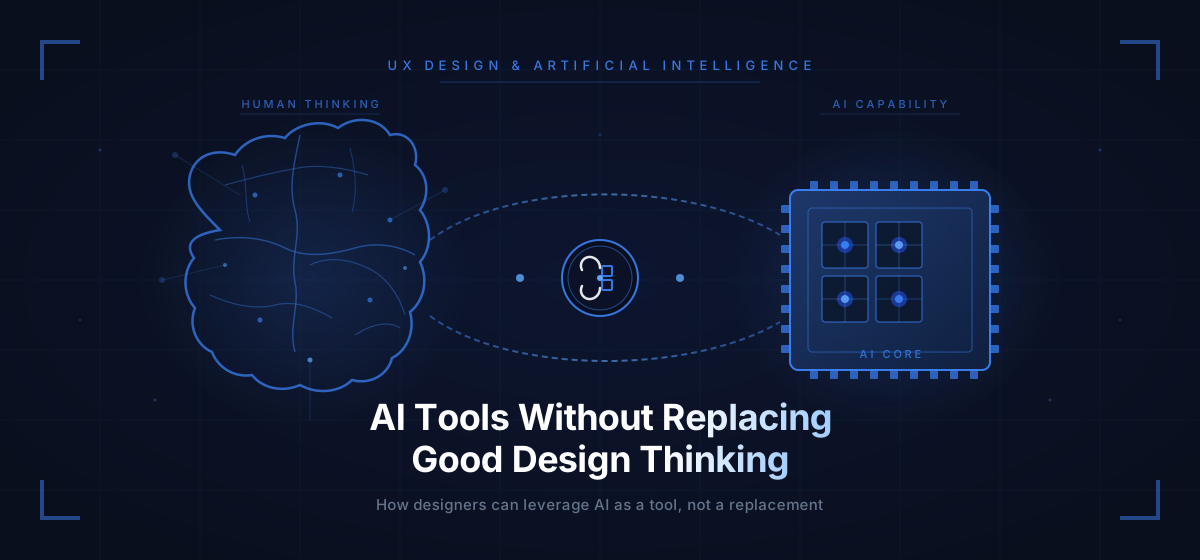
Want us to audit your product?
Book a free 30-minute call and we will tell you exactly what to fix first.
Book a free call